
Download Pokemon RougeRogue
Get digithorn’s BPS patch, apply it to Pokemon Emerald and open the patched game in a Game Boy Advance emulator.
Pokemon RougeRogue v1.0.0
The download is a BPS patch. Apply it to your own compatible Emerald ROM to create the GBA game file.
Get BPS patch on MediaFire- Patch file
- RougeRogue-v1.0.0.bps
- Format
- BPS patch
- Size on MediaFire
- 24.97 MB
- Patch uploaded
- Base game
- Pokemon Emerald
- Platform
- Game Boy Advance
- Language
- English
What you’ll need
- The creator’s BPS patch from the download above.
- Your own legally obtained, clean, compatible Pokemon Emerald ROM.
- A BPS patcher such as Floating IPS.
- A compatible Game Boy Advance emulator.
How to patch Pokemon RougeRogue
Download the BPS patch
Use the download above and save the .bps file.
Prepare your Emerald ROM
Start with a clean, compatible copy. If it’s in an archive, extract the .gba file first.
Open the patching tool
In Floating IPS, choose Apply Patch.
Choose the two inputs
Select the RougeRogue .bps patch as the patch. Choose your original Emerald .gba when asked for the source ROM.
Apply the patch with validation enabled
Keep checksum validation on. If the tool reports a mismatch, stop and check your inputs.
Save a separate GBA file
Name the output something like RougeRogue.gba. Keep the original Emerald ROM unchanged.
How to play Pokemon RougeRogue
- Open a GBA emulator such as mGBA.
- Use the emulator’s file menu to open the newly saved .gba.
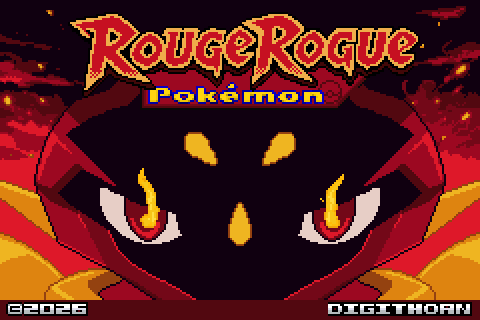
- Look for the RougeRogue title screen shown here, then start a new game.
Troubleshooting
The patcher reports a checksum mismatch
Check that the source is a clean, compatible Pokemon Emerald ROM, and that the patch is the RougeRogue BPS file. An already patched or modified Emerald ROM can fail the check. Keep validation enabled and check the creator’s release notes if you’re unsure about your copy.
The emulator won’t open the file
Open the patched .gba output. The .bps is an input for the patcher. Check the real extension if the file appears as .gba.zip or .gba.bps. If the output is missing, check that patching finished successfully.
The game still loads as Emerald
Check which file you opened in the emulator. Select the separately named output from the folder where you saved it.
See the file and emulator FAQPage last updated